Most AI chatbots know everything about the internet and nothing about your project. You paste context into the prompt, hit send, and hope the 4,000-word product spec fits inside the context window. Close the tab, and it's all gone.
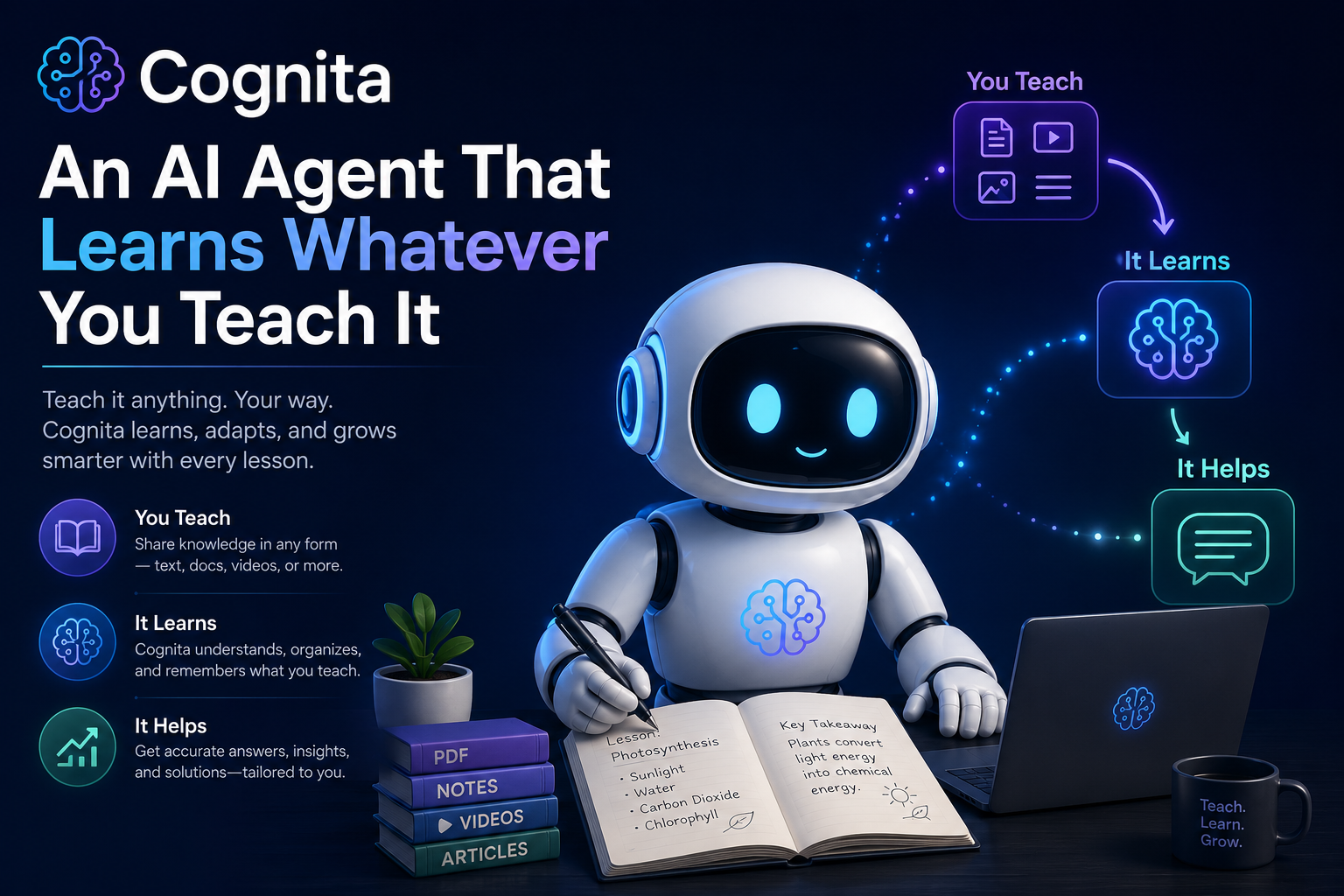
I wanted something different — an agent I could teach. Feed it my company docs, product specs, or research papers, hit Train, and have it remember everything permanently. So I built Cognita (Latin for "things learned"): an open-source AI agent with a persistent vector knowledge base, multi-LLM support, and a workflow designed around a single idea — your knowledge, your agent.
This post walks through the architecture, the decisions behind it, and how you can build (or extend) something similar.
The Problem with Context-Stuffing
The standard approach to giving an LLM domain knowledge is retrieval-augmented generation, or RAG. Upload a document, chunk it, and inject relevant chunks into each prompt. It works, but most implementations treat the knowledge as ephemeral — it lives in memory, tied to your session. Close the browser, restart the server, or clear the chat, and the agent forgets everything.
That creates a frustrating experience. You spend five minutes uploading and processing a 40-page PDF, ask three questions, and then the next day you're starting from scratch.
Cognita solves this by separating two concerns: ingestion (parsing your documents) and training (building a persistent vector index). Once trained, the knowledge lives on disk. You can delete the original files, restart the server, come back a week later, and the agent still knows your content.
Architecture Overview
Cognita is a Flask application with four layers:
Ingestion layer handles file uploads and URL fetching. It accepts PDFs (via pdfplumber), HTML files, Markdown, and plain text. For URLs, it fetches the page and strips away navigation, scripts, and chrome using BeautifulSoup, keeping only the visible content. Every source gets chunked into ~300-word overlapping segments — small enough for precise retrieval, large enough to preserve context.
Vector store is a TF-IDF index backed by scikit-learn. When you click Train, the TfidfVectorizer converts all chunks into numerical vectors using unigrams and bigrams with sublinear term frequency scaling. The resulting sparse matrix, along with the vectorizer and chunk metadata, gets serialized to disk with pickle and JSON. This is the persistence layer — everything needed to answer questions lives in the knowledge_db/ directory.
Retrieval layer runs on every chat message. The user's question gets vectorized using the same TF-IDF model, then compared against all stored chunks via cosine similarity. The top 5 results (above a 0.05 relevance threshold) are returned with their source attribution and relevance scores.
LLM dispatch takes the retrieved context and either sends it to an external LLM (OpenAI, Anthropic, Google, or a local Ollama instance) as a system prompt, or — if no API key is configured — returns the raw retrieval results with basic formatting. This fallback means Cognita is fully functional without any external API.
Why TF-IDF Over Embeddings?
The obvious choice for a vector store in 2026 is dense embeddings — sentence-transformers, OpenAI's embedding API, or similar. I chose TF-IDF for Cognita's default implementation for practical reasons.
First, it requires zero external dependencies beyond scikit-learn. No GPU, no API key, no model download. You pip install and go. For a tool that's meant to be instantly usable for demoing projects, that matters.
Second, TF-IDF with bigrams is surprisingly good at domain-specific retrieval. When your corpus is a bounded set of project documents (not the entire internet), the term frequency signals are strong. A query about "Kanban board" will find chunks containing those exact terms with high precision. Dense embeddings excel at semantic similarity across paraphrases, but for document QA where the user is asking about specific concepts using the terminology from the docs, TF-IDF holds its own.
Third, the index rebuilds in milliseconds. There's no embedding computation bottleneck, which keeps the Train action instant even with dozens of documents.
That said, swapping in dense embeddings is straightforward — the VectorKnowledgeBase class has a clean query() interface. Replace _rebuild_index with an embedding model and query with approximate nearest neighbors, and the rest of the app doesn't change.
The Train Workflow
The UX decision I'm most deliberate about is the explicit Train step. Many RAG tools auto-index on upload, but I wanted a clear mental model: uploading stages documents, training commits them to the knowledge base.
This separation has practical benefits. You can upload five documents, review them in the sidebar, remove one that wasn't relevant, then train the remaining four in one batch. The Train button pulses when there are untrained sources, giving a visual cue that new knowledge is pending.
After training, the source metadata stays in the sidebar for reference, but the actual knowledge is embedded in the vector index. Conceptually it's similar to how a database migration works — you prepare changes, then apply them. The "Erase All Knowledge" action is the nuclear option that wipes the vector store entirely, and it comes with an appropriately scary confirmation dialog.
Multi-LLM Support
Cognita supports four LLM providers through a unified dispatch function. The pattern is simple: each provider gets a conditional block in call_llm() that constructs the appropriate API call. If the call fails or no API key is configured, execution falls through to the vector search fallback.
def call_llm(provider, model, system_prompt, user_msg, api_key=""):
    if provider == "openai" and api_key:
        # OpenAI chat completion
    if provider == "anthropic" and api_key:
        # Anthropic messages API
    if provider == "google" and api_key:
        # Google Gemini
    if provider == "local":
        # Ollama (localhost)

    # Fallback: vector search
    return _vector_search(user_msg)
API keys can come from two places: the .env file (server-side, set once) or the browser sidebar (client-side, stored in localStorage). The server checks both, preferring the browser-provided key. This means you can deploy Cognita with pre-configured keys for your team, or let individual users bring their own.
Chunking Strategy
Getting the chunk size right is more important than it seems. Too large (1,500+ words) and you lose retrieval precision — a query about authentication might return an entire "Security" section when you only needed one paragraph. Too small (50 words) and you lose context — the chunk might contain the answer but not enough surrounding text to be useful.
Cognita uses 300-word chunks with a 50-word overlap. The overlap ensures that concepts spanning a chunk boundary appear fully in at least one chunk. The 300-word size was chosen to roughly match a single focused paragraph or section — enough context to be self-contained, small enough to be precise.
def _chunk_text(self, text, chunk_size=300, overlap=50):
    words = text.split()
    chunks, start = [], 0
    while start < len(words):
        end = start + chunk_size
        chunk = " ".join(words[start:end])
        if len(chunk.strip()) > 30:
            chunks.append(chunk)
        start += chunk_size - overlap
    return chunks
For production use, sentence-aware chunking (splitting on sentence boundaries rather than word count) would improve quality. But word-based splitting is deterministic, fast, and good enough for the demo-to-production path Cognita targets.
Persistence Model
The vector store persists four files to the knowledge_db/ directory:
chunks.json— all text chunks with source attribution and IDssources.json— metadata about each ingested source (name, character count, trained status)vectorizer.pkl— the fitted TF-IDF vectorizer (vocabulary, IDF weights)tfidf_matrix.pkl— the sparse document-term matrix
On startup, VectorKnowledgeBase.__init__ loads all four files. If any are missing or corrupted, it starts fresh. This gives you crash resilience and the ability to back up knowledge by copying one directory.
The one trade-off with pickle is that it's Python-version-sensitive. If you upgrade from Python 3.10 to 3.12, you might need to retrain. For a production system, you'd want a more portable serialization format or a proper vector database like ChromaDB or Qdrant.
The Fallback That Makes It Work
The most important architectural decision in Cognita is that it works without any API key. When no LLM is available, _vector_search() returns the top 5 most relevant chunks directly, formatted with source citations and relevance scores.
This sounds like a compromise, but it's actually the right default for many use cases. If someone uploads your project's README, API docs, and architecture guide, then asks "how do I authenticate?", the vector store will surface the exact paragraphs that answer that question. The LLM adds polish — it synthesizes, summarizes, and generates natural language answers. But the retrieval layer does the heavy lifting.
This means Cognita is deployable in air-gapped environments, on machines without internet access, or for quick demos where setting up API keys would be friction. The LLM is an enhancement, not a dependency.
Running It Yourself
pip install flask
pdfplumber
beautifulsoup4
python-dotenv
scikit-learn
numpy

python app.py
Open localhost:5000, drop in some documents, hit Train, and start asking questions. The full source is a single app.py (~520 lines), one HTML template, one CSS file, and one JS file — small enough to read in one sitting, complete enough to use in production.
If you want LLM-powered answers, add your API key to .env:
OPENAI_API_KEY=sk-...
ANTHROPIC_API_KEY=sk-ant-...
GOOGLE_API_KEY=AI...
What's Next
There are natural extensions that would make Cognita more powerful: sentence-aware chunking for better retrieval boundaries, dense embeddings (via sentence-transformers) for semantic search, conversation memory so follow-up questions work naturally, source-level access control for multi-tenant deployments, and streaming responses for a more responsive chat experience.
But the core idea — teach an agent your domain, and it remembers — is complete and working. It's the kind of tool I wish existed every time I joined a new project and had to read forty Confluence pages before I could ask an informed question.
Cognita gives you a shortcut: feed it the pages, and ask the questions directly.
Cognita is open-source and available on GitHub: Cognita Repo Built with Python, Flask, and scikit-learn.

'Your knowledge, your agent' idea is compelling.