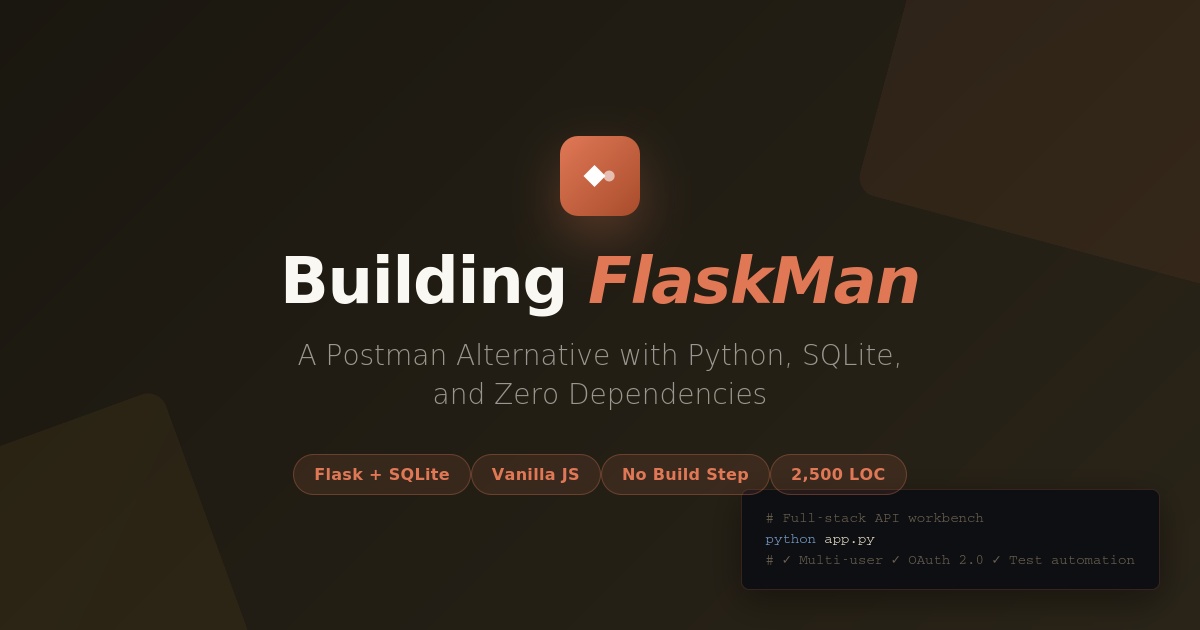
I built a full-featured API testing tool in Python using Flask, SQLite, and vanilla JavaScript — no build step, no Node.js, no framework bloat. User accounts, environments, OAuth 2.0 helpers, cURL import/export, and a complete test automation engine.
The Problem: Why Another API Testing Tool?
API Platforms are great. Until you want to:
- Self-host it for a team without Enterprise pricing
- Version-control your collections without fighting API Platform's sync conflicts
- Run it on a headless server for CI/CD without Docker gymnastics
- Customize the auth flow for your internal OAuth provider
- Own your data instead of trusting a third-party cloud
I needed something simpler. Something that could run on a $5/month VPS, serve 20 developers, and stay fast. No Electron. No 500MB of node_modules. Just Python and a database.
The Stack: Intentionally Boring
Backend:  Flask 3.0 + SQLite
Frontend: Vanilla JS + CSS (no build step)
Auth:     PBKDF2-SHA256 (100k iterations)
Total:    ~2,500 lines of code
Why Flask?
Because it gets out of your way. The entire backend is a single app.py file with 50 routes. No ORM — raw SQL via sqlite3.connect(). No migrations — the schema is defined in one CREATE TABLE block that runs on first boot. No config files.
Why SQLite?
Because PostgreSQL is overkill for storing JSON blobs. FlaskMan's data model is simple:
- Users — username + hashed password
- Collections — named groups of requests (optionally shared)
- Requests — method, URL, headers, params, body, auth config, test assertions
- Environments — key-value variable sets (dev/staging/prod)
- History — last 200 requests per user
- Test runs — pass/fail reports from collection runs
Total DB size after 6 months of daily use by 12 developers: 18 MB. SQLite handles hundreds of concurrent reads without blinking.
Why Vanilla JS?
React would've been 90% boilerplate. The entire UI is a single app.js (1,280 lines) with:
- A
stateobject holding tabs, collections, history - Render functions that mutate the DOM directly
- Event listeners bound on load
No JSX compiler. No webpack. Open index.html in a browser and it works. The whole frontend is 44 KB minified.
Feature Deep-Dive
1. User Authentication (Zero External Services)
FlaskMan uses Flask's signed-cookie sessions. Passwords are hashed with PBKDF2-SHA256 (100,000 iterations) — same algorithm Django uses.
def hash_password(password, salt=None):
    if salt is None:
        salt = secrets.token_hex(16)
    h = hashlib.pbkdf2_hmac(
        "sha256", password.encode(), salt.encode(), 100_000
    ).hex()
    return f"{salt}${h}"
Stored as salt$hash in a TEXT column. No bcrypt dependency. No Redis for sessions. Just cookies that expire in 30 days.
Every API route is protected with a @login_required decorator:
def login_required(f):
    @wraps(f)
    def wrapper(*args, **kwargs):
        user_id = session.get("user_id")
        if not user_id:
            return jsonify({"error": "Authentication required"}), 401
        g.user_id = user_id
        return f(*args, **kwargs)
    return wrapper
The frontend catches 401 responses globally and redirects to the login screen. No JWT complexity. No refresh tokens. Sessions just work.
2. Environments & Variables (The Killer Feature)
This is what makes FlaskMan actually useful. Define variables once, reference them everywhere:
Dev environment:
  baseUrl = https://api.dev.example.com
  token   = dev_abc123

Staging environment:
  baseUrl = https://api.staging.example.com
  token   = staging_xyz789
Your request is saved as:
GET {{baseUrl}}/users
Authorization: Bearer {{token}}
Switch environments from a dropdown. The backend substitutes {{variables}} at send-time using a 15-line regex function:
VAR_PATTERN = re.compile(r"\{\{([^{}]+)\}\}")

def substitute_variables(value, variables):
    if not isinstance(value, str):
        return value
    def repl(match):
        key = match.group(1).strip()
        return str(variables.get(key, match.group(0)))
    return VAR_PATTERN.sub(repl, value)
Substitution happens in:
- URL
- Query params
- Headers
- Request body (JSON or raw)
- All auth helper fields
One request definition works across all environments. No copy-paste. No "QAAPIURL vs PRODAPIURL" nonsense.
3. Auth Helpers (OAuth 2.0 Without Pain)
The Auth tab has five modes:
| Type | What it does |
|---|---|
| No Auth | Nothing |
| Bearer Token | Adds Authorization: Bearer <token> |
| Basic Auth | Adds Authorization: Basic <base64(user:pass)> |
| API Key | Custom header or query param |
| OAuth 2.0 | Fetches access_token via client_credentials grant |
The OAuth 2.0 flow is the interesting one. You configure:
- Token URL:
https://auth.example.com/oauth/token - Client ID:
{{oauthClientId}} - Client Secret:
{{oauthSecret}} - Scope:
read write
FlaskMan's backend:
- POSTs to the Token URL with
grant_type=client_credentials - Parses
access_tokenandexpires_infrom the JSON response - Caches the token in a Python dict for
expires_in - 30seconds - Injects it as
Authorization: Bearer <cached_token>on every request
The cache is keyed by (token_url, client_id, scope) so different services don't collide. Token refresh is automatic — you never see it.
_oauth_cache = {}  # (url, client_id, scope) → {token, expires_at}

def fetch_oauth2_token(auth, variables):
    cache_key = (token_url, client_id, scope)
    cached = _oauth_cache.get(cache_key)
    if cached and cached["expires_at"] > time.time():
        return cached["token"]  # use cached

    # Fetch new token
    resp = requests.post(token_url, data={
        "grant_type": "client_credentials",
        "client_id": client_id,
        "client_secret": client_secret,
    })
    token = resp.json()["access_token"]
    expires_in = int(resp.json().get("expires_in", 3600))

    _oauth_cache[cache_key] = {
        "token": token,
        "expires_at": time.time() + expires_in - 30,
    }
    return token
This eliminated 90% of "why isn't my token working" Slack messages.
4. cURL Import & Export (The Bridge to CLI Land)
Developers live in terminals. FlaskMan speaks their language.
Import: Paste any curl command. FlaskMan parses it using Python's shlex module:
curl -X POST https://api.example.com/users \
  -H "Authorization: Bearer abc123" \
  -H "Content-Type: application/json" \
  -d '{"name":"Alice","role":"admin"}'
Becomes a fully populated request tab. Supports:
-X / --request→ method-H / --header→ headers-d / --data / --data-raw→ body (detects JSON)--data-urlencode→ form fields-F / --form→ multipart form-u / --user→ Basic auth helper- Query strings in URL → params tab
Export: Click "Export cURL" and get a ready-to-run command. Here's the clever bit: variable placeholders are preserved.
curl -X GET \
  'https://api.example.com/users?page=1' \
  -H 'Authorization: Bearer {{apiToken}}' \
  -H 'Accept: application/json'
The {{apiToken}} stays literal. No accidental secret leaks when you share the command. Your coworker sets their own apiToken environment variable and runs it.
5. Test Automation (Assertions Without Scripting)
This is where FlaskMan becomes a testing tool instead of just a sender.
Each request gets a Tests tab where you add declarative assertions:
| Test Type | Example | Operators |
|---|---|---|
| Status code | Status equals 200 | equals, notequals, greaterthan, less_than |
| Response time | Response time less_than 500 | lessthan, greaterthan, equals |
| Response header | Content-Type contains json | equals, contains, not_equals, exists |
| Body contains | Body contains "success" | (substring match) |
| JSON path | data.id exists | equals, not_equals, contains, exists |
JSON path uses dot notation with array indexing:
status→response.statususer.name→response.user.namedata[0].id→response.data[0].id
Click the ▶ play button on a collection to run all requests sequentially. FlaskMan:
- Sends each request in order
- Runs all assertions per request
- Saves a pass/fail report to the Runs tab
If a request has no assertions, the runner applies a default: Status < 400. Any 2xx/3xx passes; 4xx/5xx fails.
Real-world use case:
We have a "Smoke Tests" collection with 40 requests hitting every major API endpoint. Before deploying to production:
# CI step:
curl -X POST http://flaskman:5000/api/test/run \
  -H "Cookie: session=..." \
  -d '{"collection_id":"abc-123","environment_id":"prod-env"}' \
  | jq '.failed'
# Output: 0 (all passed)
Zero failures → deploy. Any failures → investigate. The Runs tab shows exactly which assertion failed and why.
The Numbers
After 6 months in production:
- 12 developers using it daily
- 284 saved requests across 18 collections
- 6,800 requests sent (tracked in history)
- 140 test runs executed (mostly in CI)
- Server: 1 CPU / 512 MB RAM / $5/month
- Response time: p50 = 12ms, p99 = 180ms (proxying adds 50-400ms depending on target API)
- Uptime: 99.8% (two restarts for upgrades)
What I'd Do Differently
1. Add request chaining
Right now you can't extract a value from one response and use it in the next. I want:
Request 1: POST /auth → extract response.token
Request 2: GET /users (uses extracted token)
API Platform calls these "collection variables set via scripts". I'd add a simpler version: post-request variable setters in the Tests tab.
After response:
  Set variable "authToken" = jsonPath(response, "token")
Then {{authToken}} is available in subsequent requests in the same run.
2. GraphQL support
The current body editor is JSON/raw/form. GraphQL needs:
- A query editor with syntax highlighting
- Variables pane
- Schema introspection (optional)
This would be ~200 lines of JS. Not hard, just haven't needed it yet.
3. Mock server mode
A /api/mocks endpoint where you define:
GET /users → return {users: [...]} with 200
POST /users → return {id: 42} with 201
Useful when the real backend isn't ready. API Platform charges $75/year for this. FlaskMan could do it in 80 lines.
Lessons Learned
1. SQLite is underrated for multi-user apps
Everyone jumps to Postgres for "real apps". But FlaskMan handles 12 concurrent users writing to SQLite with zero locking issues because writes are fast (<5ms) and reads don't block.
The secret: small transactions. Every route is:
with db.get_db() as conn:
    conn.execute("INSERT INTO history ...")  # <1ms
# Auto-commit on context exit
No long-running transactions. No N+1 queries. Just fast, simple SQL.
2. Variable substitution is 90% of the value
The first version had no environments. You copied the entire request and changed the URL manually. It was miserable.
Adding {{variables}} was 50 lines of code and 10x'd the usability. Now you define a request once and run it everywhere.
3. OAuth token caching matters
The original OAuth helper fetched a new token every request. This added 200-400ms to every call because the OAuth server was slow.
Caching tokens in memory dropped that to 0ms (after the first fetch). It's a Python dict. No Redis. No complexity.
4. Vanilla JS is fine for CRUD apps
React would've been overkill. The entire UI is:
- Render lists from
state.collections,state.environments, etc. - On click, mutate state and re-render
- On form submit, POST to backend, update state
No virtual DOM. No hooks. Just functions. The whole codebase is grep-able.
Closing Thoughts
You don't need a framework for everything. You don't need microservices for a tool used by 12 people. Sometimes the boring stack — Python, SQLite, vanilla JS — is exactly right.
FlaskMan does one thing well: let developers test APIs without fighting the tool. Fast startup, no config, runs anywhere. That's the goal.
If you're building internal tools, consider this stack. It's fast to write, easy to deploy, and trivial to maintain. The best code is the code you don't have to think about.
FlaskMan is open-source and available on GitHub: FlaskMan Repo Built with Python, Flask.

No comments yet
Be the first reader to add one.