There's a moment every engineering team eventually faces: you've outgrown your spreadsheets, someone suggests buying TestRail or Zephyr, and then you open the pricing page.
$40 to $100 per user per month. For a 10-person team, that's potentially $12,000 a year before you've shipped a single feature.
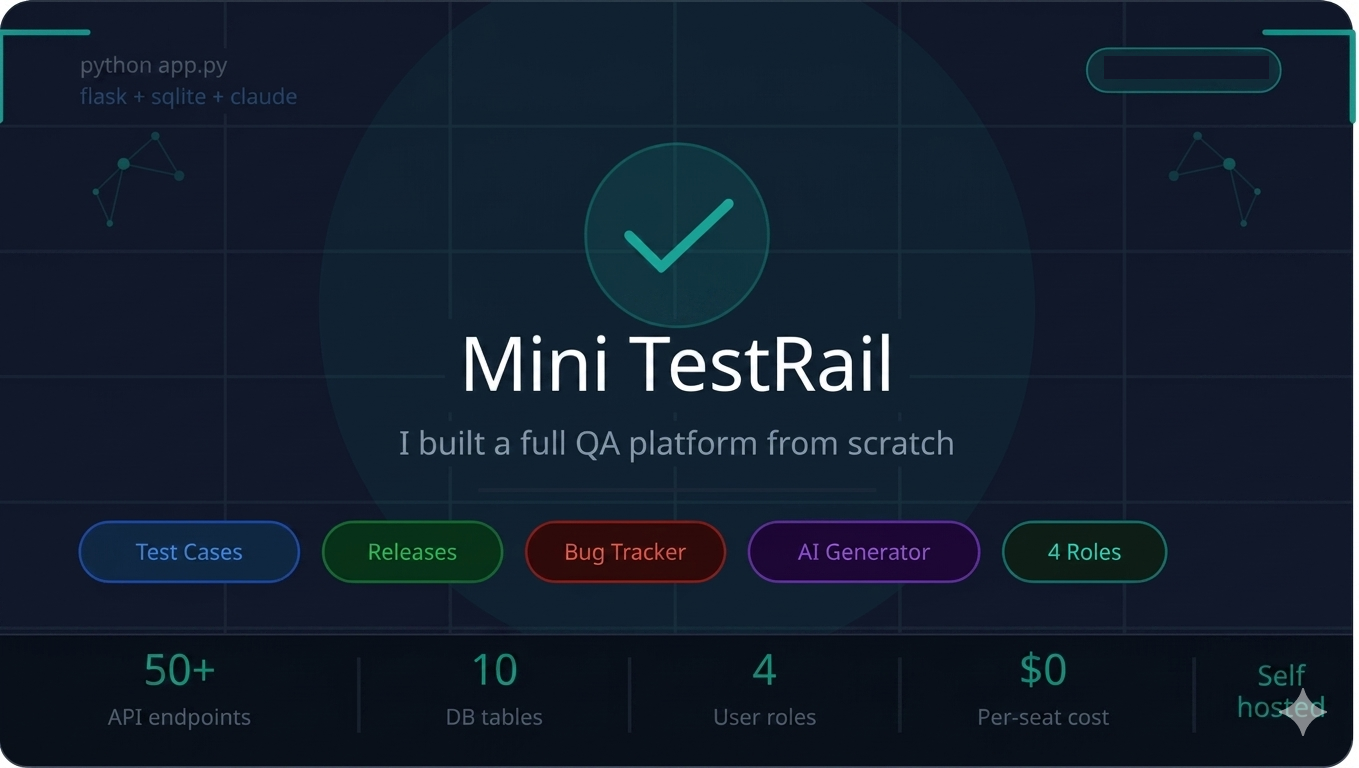
So I built Mini TestRail — a complete, self-hosted QA management platform that runs on Python, Flask, and SQLite. No per-seat billing. No vendor lock-in. No cloud dependency. Just a single python app.py and you're running.
This post covers everything: why I built it, what it does, how it's architected, the interesting engineering decisions along the way, and what I'd do differently next time.
Why Another QA Tool?
The existing tools fall into two camps.
Enterprise tools (TestRail, Zephyr Scale, qTest) are genuinely powerful but priced for large organisations. They assume you have a QA department, a dedicated admin, and a procurement process. Startups and small teams pay the same rates as enterprises — but get a fraction of the value because they don't have the headcount to use all the features.
Lightweight tools (spreadsheets, Notion, Linear issue trackers) are free but lack structure. There's no execution history, no per-release pass rate, no automatic bug creation when a test fails. You end up maintaining a manual audit trail that nobody actually uses after month two.
The gap was obvious: a structured tool, self-hosted, simple to deploy, and designed specifically for small to medium-sized engineering teams. That's Mini TestRail.
What It Does
Mini TestRail v3 ships with five core modules:
1. Test Case Management
Every project gets a test case library. Each case has a title, description, step-by-step instructions, expected result, and priority (High, Medium, Low). Test cases are filterable by status, priority, and keyword search. You can view the full execution history for any case — every time it was run, who ran it, what the result was, and which release it belonged to.
2. Release Cycles
This is the feature that most basic tools miss entirely. Rather than treating test execution as a flat list, Mini TestRail scopes test cases to releases — named milestones like v1.0, Sprint 23, or Q3 Regression.
Each release has: - A status lifecycle: Planned → In Progress → Completed / Aborted - Start and end dates - A curated subset of test cases (not all cases need to run in every release) - Its own pass/fail/blocked statistics - An execution lock — once a release is Completed or Aborted, no further executions are allowed This means you get a historical record of quality per release, not just a current snapshot.
3. Bug Tracker
Rather than sending developers to a separate tool, bugs live inside the same project as the test cases. Each bug has:
- Severity (Critical, High, Medium, Low) and Priority (High, Medium, Low) — independent axes, important for correct triage
- Status lifecycle: Open → In Progress → Fixed → Closed (or Won't Fix)
- Release link — which release was the bug found in?
- Assignment — which team member is responsible?
- Comment thread — flat discussion for all stakeholders
- Auto-creation on test failure — the killer feature (more on this below) Only admins can delete bugs, ensuring a full audit trail is preserved.
4. AI-Powered Test Case Generator
This is the module that generates the most excitement in demos. The workflow is:
- Paste a requirement — a user story, acceptance criteria, or feature description
- Choose a coverage level: Minimal (3–5 cases), Standard (6–10 cases), or Thorough (10–15 cases)
- Optionally add context: tech stack, audience, constraints
- Click generate — Claude (claude-sonnet-4-5) returns structured test cases in under 15 seconds Each generated case includes title, category (Functional, Negative, Edge Case, Security, Performance, UI/UX, Accessibility), priority, description, numbered steps, and expected result. You can filter by category, export to CSV or JSON, or import directly into any project with a single click.
The API key is stored once by an admin in the Settings page — no developer needs to manage credentials.
5. Dashboard and Reporting
The dashboard gives a real-time view across all projects: total test cases, pass/fail/blocked/not-run counts, per-project breakdown charts, and a recent execution feed. Everything is scoped to what the logged-in user has access to — a tester only sees their assigned projects.
The Role System
One of the most deliberate design decisions was the four-tier role system. Most tools have either "admin vs everyone else" or an overcomplicated matrix that nobody configures correctly. Mini TestRail uses four roles with clear, non-overlapping responsibilities:
| Role | What they can do |
|---|---|
| Admin | Full access. Manages users, activates/deactivates projects, changes passwords, sets the AI API key. The only role that can delete bugs. |
| Manager | Manages test cases, releases, and member assignments on their assigned projects. Creates projects. |
| Developer | Executes test cases, reports bugs, adds comments. Cannot manage cases or releases. |
| Tester | Same as Developer. Executes test cases and reports bugs. |
There's no self-registration. Admins create all accounts. The first user seeded on a fresh install is automatically given the admin role — a common pattern for self-hosted tools that avoids the bootstrap chicken-and-egg problem.
Projects have an is_active flag controlled by admins. Inactive projects are hidden from non-admin users and locked against any writes — useful for archiving old work without deleting the history.
The Feature That Makes Everything Click: Auto-Bug Creation
The integration between test execution and bug tracking is what makes Mini TestRail more than the sum of its parts.
When you execute a test case and mark it as Fail or Blocked, a checkbox appears in the execution modal: "Auto-create a Bug." It's pre-checked.
If you leave it checked, the system automatically creates a linked bug with:
- Title: [Fail] <test case title>
- Description: which release it came from, with your comment
- Steps: copied from the test case
- Expected result: copied from the test case
- Severity: High for Fail, Medium for Blocked
- Status: Open
- Release link: automatically set
No copy-pasting. No switching tools. No "I'll create the bug ticket later" that never happens.
The backend returns bug_created: true and bug_id in the response, so the frontend can show an immediate toast notification with a direct link to the new bug.
Architecture: Deliberately Simple
The stack is boring by design.
Browser (HTML + CSS + Vanilla JS)
         ↕  REST API
Flask (Python 3)
         ↕  sqlite3
SQLite (single file)
         ↕  HTTPS
Anthropic API (AI generator only)
No React, no TypeScript, no build step. Every page is a Jinja2 template with a dedicated vanilla JS file. The entire frontend is about 1,800 lines of JavaScript spread across seven files — readable by any developer without knowing a framework.
No PostgreSQL, no Redis, no Docker required. SQLite handles everything. For a tool used by a team of 50 or fewer, SQLite is perfectly capable — it can handle hundreds of concurrent reads and serialises writes without issue. The database is a single file you can back up with cp.
ON DELETE CASCADE is used everywhere. Delete a project and everything under it — test cases, releases, executions, bugs, comments — is cleaned up automatically.
Security Decisions Worth Noting
Password hashing. PBKDF2-HMAC-SHA256 with 200,000 iterations and a unique 16-byte salt per user. Not bcrypt (which would also be fine), but well above the minimum for a self-hosted tool.
No self-registration. Public signups are disabled entirely. The /register route redirects to /login with an explanatory flash message. All accounts are created by admins. This is appropriate for an internal tool — you know exactly who has access.
Session invalidation. A before_request hook checks is_active on every authenticated request. If an admin deactivates a user mid-session, that user is kicked out on their very next request — even if their session cookie is still valid.
API key storage. The Anthropic API key is stored in the app_settings table and masked in the GET response (returns "SET" or "", never the actual key). The key is only read server-side and never exposed to the browser.
Admin-only destructive operations. Deleting bugs, deleting projects, deleting users — all require the admin role. A Manager managing their own project cannot accidentally (or maliciously) wipe data they don't own.
The AI Generator: How It Actually Works
The generate endpoint is a straightforward pass-through to the Anthropic API, but the prompting strategy matters.
The system prompt instructs Claude to return only a raw JSON array with no markdown wrapping. Each element has exactly six fields: title, category, priority, description, steps, and expected_result. This makes parsing deterministic.
The coverage level changes the instruction in the user prompt:
- Minimal: "Generate 3–5 essential test cases: the critical happy path and one key negative scenario."
- Standard: "Generate 6–10 test cases: happy path, key negative cases, edge cases, and boundary conditions."
- Thorough: "Generate 10–15 comprehensive test cases: all happy paths, negatives, edge cases, boundaries, security, and accessibility." The optional context field (tech stack, audience, constraints) is appended to the user prompt if provided.
After receiving the response, the backend strips any accidental markdown fences, validates that the output is a JSON array, normalises any missing fields to sensible defaults, and returns the result. If the model returns something unparseable, the endpoint returns a clean 502 with an explanatory message rather than a cryptic stack trace.
The API key is resolved from the environment variable ANTHROPIC_API_KEY first, falling back to the database-stored value. This means you can override the admin-configured key at deployment time without touching the database.
Demo Data: Making It Real
One of the most underrated parts of a developer tool is the seed script. Nobody wants to manually create projects, test cases, and releases just to see if the tool looks right.
seed_demo.py creates a realistic dataset in about two seconds:
- 3 projects: E-Commerce Platform (active), Mobile Banking App (active), HR Portal (inactive/archived)
- 5 releases: two completed, one in-progress, one planned, one aborted
- 18 test cases across both active projects with realistic titles and steps
- 7 bugs with varying severity, status, and comments — including a Critical security bug and a Fixed regression
- 6 users: admin, two managers, a Developer, two Testers (one inactive) The seed uses realistic timestamps spread across the past 20 days so the dashboard and execution history look lived-in rather than all-created-at-the-same-moment.
What I'd Do Differently
File attachments on bugs. The most common request would be screenshot attachments. The current schema has no blob storage — adding this would mean either storing base64 in SQLite (fine for small images) or adding an uploads/ directory convention. Doable, just not in scope.
Email notifications. When a bug is assigned to you, or a release changes status, you should get an email. Flask-Mail integration would be straightforward — it's just not wired up yet.
Test case import from CSV. The AI generator covers the creation side, but teams often have existing test suites in spreadsheets they'd want to migrate. A CSV importer with column mapping would reduce onboarding friction significantly.
Pagination on large datasets. The current API returns all records for a given project. For teams with hundreds of test cases this works fine, but for larger installations you'd want cursor-based pagination.
Webhooks. Integrating with Slack or Teams for bug and execution notifications would make this genuinely useful as a team communication layer, not just a data store.
Getting Started
The setup is intentionally minimal:
# Clone the repo
git clone <repo-url>
cd testrail_mini_v3

# Install dependencies (just Flask)
pip install -r requirements.txt

# Start the server
python app.py
# → Seeded default admin: admin / admin123

# Load demo data (optional but recommended)
python seed_demo.py

# Open in browser
open http://localhost:5000
Log in as admin / admin123, immediately go to Admin → Users → Password and change it, then go to Admin → Settings to add your Anthropic API key if you want the AI generator.
The entire application — including demo data — is about 2,100 lines of Python and 1,800 lines of JavaScript. It's meant to be read, understood, and modified by a single developer in an afternoon.
Final Thoughts
Mini TestRail is the tool I wished existed when I was running QA at a startup and couldn't justify enterprise pricing. It's not trying to replace TestRail for a 200-person QA org — it's trying to give a 5–20 person engineering team the structure and discipline of proper test management without the overhead.
The AI generator is the piece I'm most excited about. Translating requirements directly into executable test cases — with steps, expected results, and coverage categories — removes the biggest friction point in building a test suite: the blank page.
If you're running a small team and you've been tracking test status in a spreadsheet or a Notion table, give this a try. The worst that happens is you spend 10 minutes setting it up and decide it's not for you. The best that happens is you never manually copy a bug title from a test result again.
Built with Python 3, Flask, SQLite, vanilla JavaScript, and the Anthropic API. Runs on any server or laptop. Zero per-seat cost.
Questions, feedback, or contributions welcome.

No comments yet
Be the first reader to add one.